Home >
Barcode Label
Software > NiceWare Barcode
Label Software - Version 6:
NiceLabel Barcode
Label Printing Software
The NiceLabel Suite by Niceware is an advanced, easy-to-use,
WYSIWYG barcode label printing software application that prints barcodes,
text and graphics on thermal transfer bar-code printer labels in addition
to labels on standard laser or inkjet printers. NiceLabel software excels
at high speed printing to thermal and thermal transfer barcode printers.
View Niceware’s Label Design Training Video
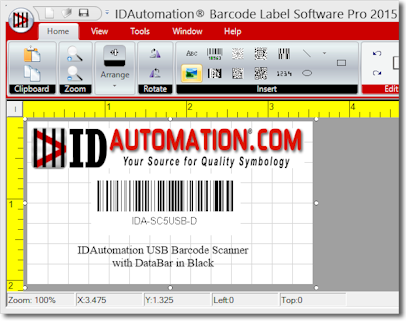
For label printing on a standard laser printer, consider
the IDAutomation
Barcode Label Software.
There
are two versions of NiceLabel: Designer Express and Pro V6
- NiceLabel Designer Express is completely Wizard-based. It includes
many design elements of NiceLabel Pro version with an emphasis on
simplified user interaction.
Download
an evaluation version.
- NiceLabel Designer Pro has many advanced features for highly technical
users including compliance templates, RFID encoding, EPC compliance,
complete database support and integration possibilities.
Download
an evaluation version
|
|
View Niceware’s 30 Minute Label Design Training Video
Common Problems and Solutions Before contacting NiceLabel for support,
please feel free to check the Help section of NiceLabel software website:
Thermal Printer Driver Installation: To install the print
driver for thermal transfer printers, download the printer driver from
http://www.nicelabel.com/Downloads/NiceDrivers
and run the downloaded file. The PrnInst.exe file gives a step-by-step
process of installing the drivers.
To Obtain Additional NiceLabel Support: If the user has ordered
a copy of the NiceLabel Barcode Label Software or needs pre-sales support,
please email support@nicewareintl.com
and send all of the following required information.
- If the user has ordered a copy of NiceLabel, please email the
serial number on the subject line of the email. For pre-sales support,
please include the text "pre-sales support request" on the subject
line.
- Version of the Windows® operating system.
- Version of the NiceLabel software; this information can be found
in About dialog box from Help menu.
- The printer model and the version of the NiceDriver for the particular thermal transfer
printer.
- Include detailed description of the problems. Explain the steps
to reproduce the program error.
- Attach the necessary files to be able to reproduce the error
in test environment. Include label file, form file, graphics and
database file.
- If possible, attach a screenshot of the dialog box with error
message.
For exchanges or returns of the NiceLabel Barcode Label Software
products, please complete the following
process.
For support, please call 262-784-2466.
|
Order the NiceLabel Barcode Software
After your online order is approved, you will be supplied a serial
number on the registration email confirmation. In addition, you will
be automatically registered for
technical support.
Once you obtain the serial number, enter it in the
software
you downloaded by choosing Help - Register.
NiceLabel License Information:
1 license is required for each single computer. If the software
is shared between multiple computer workstations on a network, each
computer workstation must have its own, separate license. A license
is obtained by ordering a serial number for the software. Once you obtain
the serial number, enter it in the software by choosing Help
- Register in the application.
Note: This pricing and version of NiceLabel
software is only available to users within North, South and Central
America. Users in other areas must obtain a license through a distributor
in their area. Contact EuroPlus
for more information.
NiceLabel
Designer Express - Each license costs $275 USD.
NiceLabel Designer PRO - Each license costs $498 USD.
Upgrade
NiceLabel
Express to NiceLabel Pro - Each license costs $300 USD.
|
IDAutomation.com offers secure, encrypted online
ordering by credit card and a license key to unlock the demo software will be
emailed
after the order is approved.
Other ordering options.
|
Drivers
for Thermal Transfer Printers may be downloaded from this link.
|
| |