Free Barcode Scanner Decoder Apps
IDAutomation offers two free scanner decoder apps. Both of these free applications can scan barcodes to verify encoded information and decode them, thereby revealing any concealed ASCII
control characters.
| Product |
Summary |
Barcode Scanner ASCII String Decoder
Free (for small organizations and personal use) |
 This software
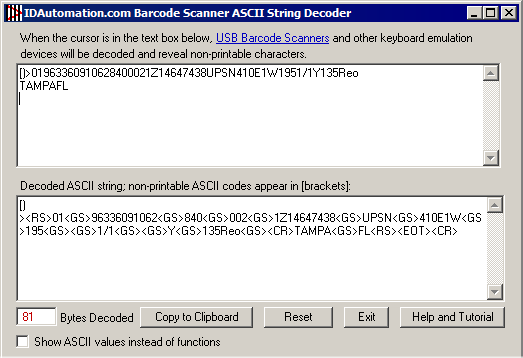
tool is capable of uncovering concealed non-printable ASCII characters and commands originating from keyboard emulation devices, such as USB Barcode Scanners. This software
tool is capable of uncovering concealed non-printable ASCII characters and commands originating from keyboard emulation devices, such as USB Barcode Scanners.
It proves to be a valuable asset when verifying commands such as FS, RS, GS, and EOT that are encoded within barcodes, as these commands are typically not disclosed upon scanning the barcode.
This app runs on both Windows and Mac.
|
Barcode Data Decoder Verifier App & SDK
Free |
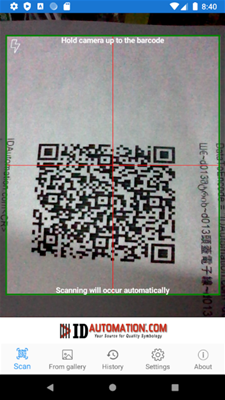 This mobile app has multiple functions. Firstly, it scans barcodes to verify encoded data and decodes the information, revealing hidden ASCII control characters and GS1 FNC1 AI codes. It also allows users to access information about the encoding of the symbol and identify common 1D & 2D barcode types. This mobile app has multiple functions. Firstly, it scans barcodes to verify encoded data and decodes the information, revealing hidden ASCII control characters and GS1 FNC1 AI codes. It also allows users to access information about the encoding of the symbol and identify common 1D & 2D barcode types.
Moreover, it is capable of parsing encoded GS1 data and separating each application identifier and element string. In addition, it can reveal ASCII functions that cannot be viewed on screen, including the FS, RS, GS, CR, HT, LF, and EOT functions.
Additionally, the application provides recommendations on how to generate the scanned symbol and is capable of decoding UTF-8 in QR codes.
|


