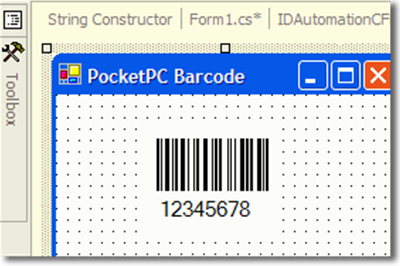
Compact Framework DLL Overview
This product has been used since 2004 and allows easy integration of dynamic
barcodes within .NET Compact Framework apps, including Windows Phone, Windows Mobile,
Pocket PC & Windows CE.NET applications.
User Manual
Download Demo
Several linear and two-dimensional barcode symbologies are supported, including
Code 39, Extended Code 39, Code 128, GS1-128, Telepen, Interleaved 2 of 5, LOGMARS,
Codabar, EAN-128, USS Code 128, UPC-A, UPC-E, MSI, EAN-8, EAN-13, Code 11, Code
93, Industrial 2 of 5, POSTNET, PDF417, and Data Matrix ECC 200.
|
CF Barcode DLL |
Symbologies Supported |
Redistributable
File Size |
| Linear Version |
Code 39, Extended Code 39, Code 128 (with character set selections Auto, A, B, and C), GS1-128, Telepen, Interleaved
2 of 5, Codabar, UPC-A, UPC-E, MSI, EAN-8, EAN-13, Code 11, Code 93, Industrial
2 of 5, Planet, and Postnet. |
< 150K |
| PDF417 Version |
PDF417 with EC levels 1 to 8, text and binary encoding. |
< 100K |
|
Data Matrix Version |
Data Matrix with ECC200, ASCII,
text, C40, and Base256 encoding, Extended Channel Interpretation, and Structured append. |
< 100K |
Compact Framework Control Features:
- 100% managed code - created in C# for the Compact Framework.
- Developer support - Developers intending to distribute IDAutomation's control with their applications will find all the functionality of each barcode control implemented in a single,
small file.
- Can be used as a DLL without being loaded on a form.
- The fit-to-barcode option allows the control canvas to fit the barcode at design or at runtime.
- Flexible sizing options - The
X dimension, wide-to-narrow ratio, barcode height, and several other properties may be adjusted for the intended application and scanning equipment. Measurements are in cm (centimeters) unless otherwise indicated.
- Graphic configuration - Settings are provided for the foreground and background colors and fonts for the human-readable characters.
- Lower ASCII support - Lower
ASCII functions such as returns and tabs are supported in the barcodes for Extended
Code 39, Code 128 Auto, Data Matrix, and PDF417.
- Complete GS1-128 Support -
IDAutomation provides easy methods to add all application identifiers into Code
128 barcodes when the "Auto" character set is selected. The control formats the correct human-readable text by placing the AIs in parentheses as required.
- Checksum options - Checksum characters can be enabled or disabled in the barcode. In the human-readable text, checksum characters can be appended to the text. This feature can also be turned off, so the checksum character is not in the text but is encoded in the barcode. This feature does not apply to Code 128 because Code 128 contains characters that cannot be entered from the keyboard.
- Text options - The human-readable text may be enabled or disabled in the linear barcode control and placed above or below the symbol.
- Tilde functions for Code 128
Auto, PDF417, and Data Matrix allow easy encoding of returns, tabs, and other functions, such as GS and RS functions, between fields in a single barcode symbol. In Code 128 Auto, if "ApplyTilde" is set to "true," the format ~ddd can be used to specify the ASCII code of the character to be encoded. For example, Code~009Bar~013 will create a barcode that encodes Code<TAB>Bar<RETURN>.
- Selectable orientation angles of 0, 90, 180, or 270 are supported.
- Thermal printer support - In addition to supporting high-resolution printers, this component prints extremely accurate barcodes on low-resolution printers. This functionality is automatically achieved in the component by drawing the symbol according to the resolution of the printer.
- Royalty-free - With the purchase of a Developer License, the control and runtimes are royalty-free for up to 10,000
users, with a few other restrictions. Review the License
Agreement for more details about this license.
- C# source code may be supplied with a purchase of the Unlimited Developer License.
-
Download a free evaluation version - The only restriction in the evaluation version is the display of the text "DEMO" in the barcode and a notification message.
Related Products