

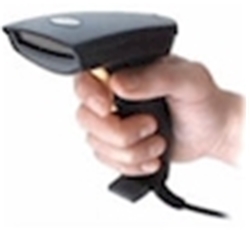
- Capable of reading barcodes from flat-screen monitors and decoding ASCII characters.
- Lightweight with a comfortable hand-held design, these scanners outperform other scanners in quality, range, and performance.
- Plug-and-play, one-step installation without powering down; power is supplied by the USB connection.
- NOTE: IDAutomation now recommends the Zebra USB Scanner as an alternative to this product. This product has been discontinued, and the new recommendation is from the Amazon Affiliate Program.
- The model recommended supports all new GS1 and POS barcode types for GS1 Sunrise 2027, including the GS1 Digital Link.
Reference for the discontinued SC5USB Model:
Quick Guides User Manual
IDAutomation USB Barcode Scanner
"The wider field of this scanner picks up our narrower bar codes a lot easier, we had several Symbol laser units deployed but we had trouble with smaller barcodes under certain lighting conditions or less than ideal scanning conditions (plastic bags etc). Net result is less work per scan on average."
- Nate Chadwick, Director of Technology, ProMedDx, LLC, Norton, MA
This durable and ergonomically designed USB barcode scanner is the best value handheld in its class. It offers the performance of a laser scanner with no moving parts to wear out at a lower cost. The CCD scan engine can read smaller barcodes better than many laser scanners and still read large barcodes. It scans linear barcodes that are up to 4.2" wide from near contact to about 10" away at 200 scans per second. To integrate this scanner with an application, refer to IDAutomation's document about how to scan data into applications.
"Plug and play ease and the ability to receive barcode input as keyboard input was the reason we purchased IDAutomation’s scanner. Development time on a new application was significantly cut by being able to treat barcode reading as simple key press (The application is web-based; we can just use JavaScript to interface with the scanner.)"
- Peter Landry, PLEXUS Corporation, Providence, RI
Features
- Performance: This product outperforms others priced below $200 in quality, range, and performance. Unlike many low-cost scanners, it quickly and easily decodes barcodes at various angles and distances using patented technology.
- Long Range Scanning and Focus: Average-sized barcodes are easily decoded when pulling the trigger anywhere from 4" to 8" away. Many other low-cost barcode readers require pulling the trigger at precise distances from the barcode.
- Ergonomically Designed: It is lightweight and designed to fit comfortably in the hand for extended periods of use.
- Projection Modes: This model features both handheld and fixed projection modes, as well as long-range activation and an adjustable stand (optional) for automated operation.
- Function Key Emulation Mode: The built-in decoder may be programmed to emulate function keys as well as other keys, such as PgUp, PgDn, Backspace, Tab, Enter, Esc, Insert, Delete, Home, and End. To activate this ability, simply enable "Function Key Emulation Mode" by scanning the appropriate barcode in the manual. When enabled, lower ASCII codes in the Code 128 barcode will simulate pressing this key on the keyboard. For example, an ASCII 23 (0x17 in the manual) digit encoded in a barcode will send the same codes to the computer as if the F7 function key was depressed. Because the scanner manual only lists hexadecimal numbers, refer to the ASCII chart for conversions.
- GS1-128 (UCC/EAN-128) Decoding: This scanner can decode the FNC1 codes in GS1-128 (UCC/EAN-128) barcodes according to the Application Identifier Standard.
- Decodes Lower ASCII Characters: This scanner is compatible with IDAutomation's Barcode Scanner ASCII String Decoder when Function Key Emulation is disabled.
- Free software included: With each purchase of this product, a license is provided for the use of IDAutomation's Free Barcode Font, Free Barcode Label Design Application, and the Barcode Scanner ASCII String Decoder. Generally, these products may only be used by non-profit organizations. However, when this product is purchased from IDAutomation, a license is granted without this limitation according to the license agreement. The software may be downloaded once the purchase is completed.
- A printed programming manual is provided with the SC5
scanner, as well as a PDF version. The SC1500 scanner is provided as a PDF only because it reads directly off the screen very well.
If any difficulty is encountered in scanning barcodes from the PDF,
ensure the PDF is being viewed at 100% or print the pages of the
manual that need to be scanned.
- SC1500:
- SC5:
- Supported 1D symbologies (barcode types) include GS1 DataBar 14, DataBar Truncated, DataBar Stacked, DataBar Stacked Omni-directional, DataBar Limited, DataBar Expanded, DataBar Expanded Stacked Omni-directional, GS1-128, Code 39, Full ASCII Code 39, UPC-A, UPC-E, EAN-13, EAN-8, Code 128, UCC/EAN 128, Interleaved 2 of 5, Codabar, MSI Plessey, Industrial 2 of 5, Code 93, UPC/EAN with an addendum.
"I am very pleased with my purchase; this low cost scanner is comparable to the higher priced scanners in the market. Our company’s efficiency has increased by using your product, we are now able to use bar coded data from a fixed workstation. The IDAutomation Plug n’ Play scanner, I would recommend it to everyone. Thank you for an excellent overall experience with your company."
– William T. Speckman – IT Manager Ecce Panis, Inc. East Brunswick, NJ
Scanner Test Results:
This scanner also outperforms many other low-priced CCD scanners and offers performance equal to many laser scanners that are priced much higher. This barcode reader easily decoded IDAutomation's Code 39 barcode font when printed as small as 6 points (4 mils) and as large as 48 points (32 mils), as well as any size in between. Unlike other low-cost CCD scanners, the scanner focuses very well on barcodes and even reads poorly printed barcodes.
Programming the USB Barcode Scanner:
"We purchased the SC5USB Scanner because of a combination of price, historically demonstrated performance, reliability and IDAutomation's reputation for good customer and technical support."
- Michael Harvey, Worldwide Entertainment Ventures, Tampa FL
The SC5-USB Scanner also includes advanced options, such as the ability
to scan function keys from a barcode and the reading of
GS1-128 (UCC/EAN-128)
FNC1 and FNC2 codes. When Function Key Emulation is disabled, the scanner is fully compatible with IDAutomation's
Barcode Scanner
ASCII String Decoder, which reveals hidden ASCII codes such as <GS>
and <RS>.


Plug and Play
Ready from the get go. Just plug into usb and start scanning.
Truly "plug and play" scanner
I have recently purchased the IDAutomation Barcode Scanner and have been exceedingly happy with the quality of the product. It is one of the only products that I can remember that is truly "plug and play." I know programming well, but my barcode knowledge is far from vast. Your company made it possible for my idea to work, and so far everything is going well. Thank you for your product, and more importantly for your quality knowledge of and attention to your customers.
5 Stars
Works exactly as detailed and very user friendly.
What Really Sold Me Is Your Customer Service
When our division at the University of Utah began to use barcode scanners, I was given a model which required batteries and was very clumsy to use. As I researched potential new scanners I found a recommendation for your SC 5 USB-D scanner. It is reasonably priced and is USB powered. Just what I was looking for. The SC5 works beautifully and reads our codes rapidly with no with problems whatsoever. I like it so much thatI have replaced another scanner in our lab with the SC5. The scanner is perfect for our application and even reads barcodes on vials stored at –80°F. But what has really sold me on IDAutomation is your customer service. My emails and calls for help have always been answered quickly, and have never failed to answer my questions. In short I couldn’t be more pleased with my scanner, IDAutomation, and your customer service.
Plug and Play - just plug it in and start scanning
Barcode reader works great and this LED scanner is more durable as it does not have moving parts like with laser scanners. True Plug and Play - just plug it in and start scanning. We can scan barcodes off our computer screens as orders are processed with shipping tracking numbers.