

Free QR Code 2D Barcode Font
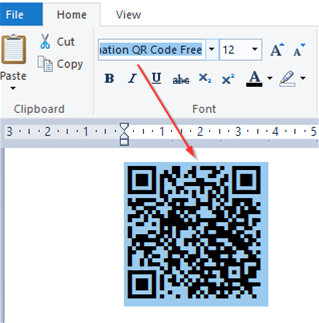
- Generate free QR Codes with this free QR Code font.
- Compatible with GS1 Sunrise 2027, GS1 Digital Link, Mixed Auto Mode, UTF8 Unicode Encoding, TLV Base64, Swiss QR-Bill, Center Override, and GS1 QR Code.
- 100% free for personal use, educational purposes, and small organizations. License Details
Benefits of the Licensed Version Include:
- Free lifetime product support and 1 incident of priority support.
- Dynamic QR Code generation allows multiple QR Codes to be generated from different fields in a database with font encoders for popular applications such as Crystal Reports, Excel, Word mail merge, Power BI, SSRS, and FileMaker.
- Multiple types of source code are provided to support popular development environments, including Visual Studio and Java.
- Web fonts are provided to support HTML5, CSS & JavaScript.
- Multiple sizes are provided; this free font is only offered in one size.
- The free version includes an intermittent notice and rate limiter; the licensed version does not have these limitations.
- Purchase the Licensed Version or download the free version using the button below. Alternatively, you may download the QR Code Font from FontSpace or 1001 Fonts.
IDAutomation also offers a Free Code 39 Font and Free Barcode Label Software. Recommended barcode scanners.
Font Encoder for the QR Code Font
Font encoders convert the data that needs to be encoded into a text string that will generate the correct symbol when displayed with the QR Code font. A free font encoder is provided by IDAutomation below and may be used to create symbols 1 at a time. Enter your data to encode below and press the Encode Data button. Copy the remaining text below to the document of choice and select the QR Code font. For best results, display the font at 9 or 12 points, ensure line spacing is set to 1, and spaces before or after paragraphs are disabled.
(Automatically copies the result to the clipboard)
